

Tame the Cable Chaos: The Best Multi-Device Charging Stations for Your Desk
If your nightstand or desk currently looks like a tangle of cables fighting for the same outlet, you're not alone. Between phones, tablets, smartwatches, and earbuds, most households are juggling four or five devices that all need to charge at the same time — usually from the same one or two outlets. A dedicated charging station solves this instantly, corralling every cable and device into one spot instead of scattered across every surface in the room.
As back-to-school and back-to-office season ramps up, now's a good time to set up a charging station that actually works for how many devices you own. Here's our pick of the best options at Phoneify, from budget-friendly organizers to fast-charging hubs built for a whole desk of gear.
Homde Bamboo Charging Station Organizer

Price: $65.98
This is the charging station for anyone who wants their desk to actually look tidy, not just be tidy. Made from natural bamboo, it has six compartments and a drawer to organize chargers, cables, and small accessories, while keeping your phone, tablet, and other devices propped up and visible while they charge. It's a genuinely nice-looking piece of furniture in its own right, which makes it an easy pick for a nightstand, entryway table, or shared family charging spot where a tangle of cables would otherwise be an eyesore.
GaN 140W 6-Port USB-C Charging Station Hub
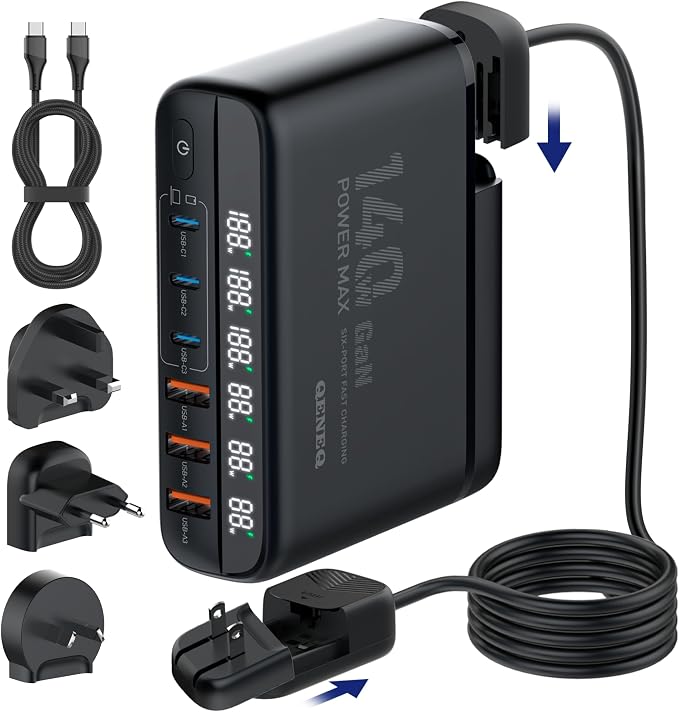
Price: $78.36
For power users, this is the hub to beat. GaN (gallium nitride) technology packs 140W of total output into a compact block with six ports and a digital display showing real-time charging speed. It's strong enough to fast-charge a MacBook Pro or Air while simultaneously topping off a phone, tablet, and earbuds case from the other ports — genuinely useful for anyone working from a single desk with a laptop and multiple accessories. The universal EU/UK/US plug compatibility also makes it a smart pick if you travel internationally.
Unitek USB-C Charging Station for Multiple Devices
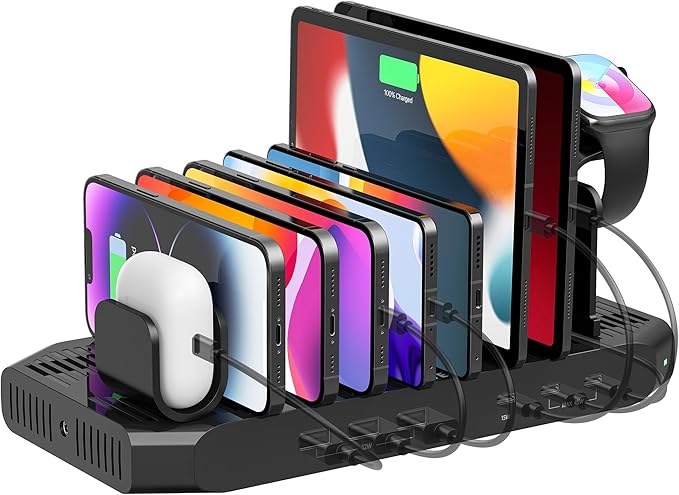
Price: $65.54
This one splits the difference between the bamboo organizer's tidy look and the GaN hub's raw power. It features two PD 20W ports plus a USB-C port, with a built-in device organizer so your phone, iPad, or tablet stays upright and visible while it fast-charges. It's a solid middle-ground option for a family charging station where more than one person's devices need a home — say, a kitchen counter or entryway where everyone drops their phone at the end of the day.
NANAMI 3-in-1 Wireless Charging Station for Samsung
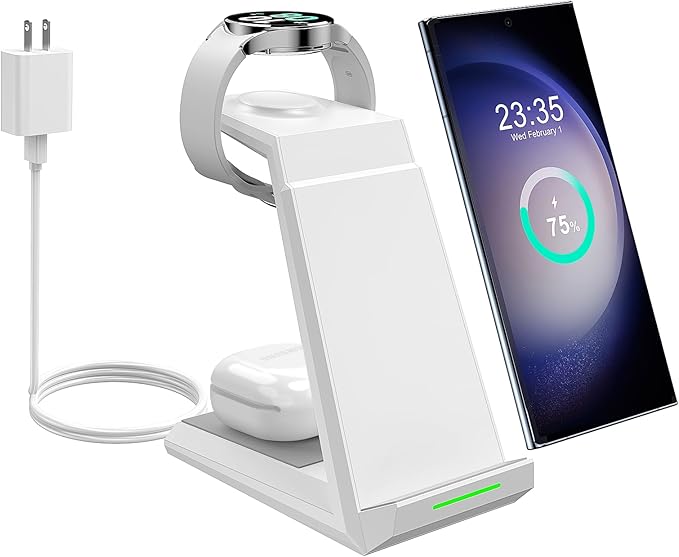
Price: $41.24
Samsung owners juggling a phone, watch, and earbuds should look here first. This 3-in-1 wireless stand charges your Galaxy phone, Galaxy Watch, and Galaxy Buds simultaneously without a single cable touching any of them — just set everything down at night and it's ready to go by morning. The angled phone stand also means you can glance at notifications while it charges on a nightstand, which is a small detail that makes a real difference for daily use.
5-in-1 MagSafe Wireless Charging Station for iPhone
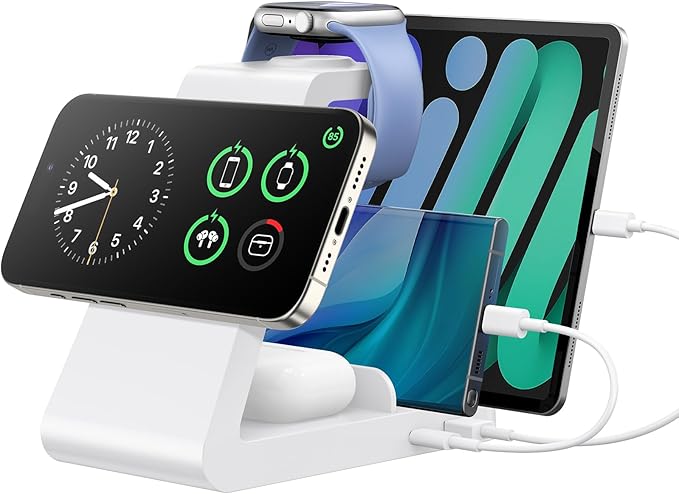
Price: $43.49
The Apple equivalent of the NANAMI stand above, this MagSafe-compatible station magnetically snaps your iPhone into place alongside your Apple Watch and AirPods, all charging wirelessly at once. It's compatible with a wide range of iPhone models, so it's a safe pick even across a household with a mix of older and newer devices. Like the Samsung version, it's especially useful as a nightstand charging setup — no more fumbling for the right cable in the dark.
Charging Station Setup Checklist
- Count how many devices actually need daily charging before choosing a station — bigger isn't always better
- Match wireless charging stations to your phone's compatibility (MagSafe for iPhone, Qi for most Android/Samsung)
- Place multi-port hubs near a single outlet to cut down on extension cords and power strips
- Keep charging stations away from bedding or fabric if using higher-wattage hubs, since some warmth is normal during fast charging
- Label or color-code cables if the station is shared by multiple family members
Frequently Asked Questions
Will a multi-port charging station slow down my devices?
Not if it's rated for enough total wattage. Look at how many ports you'll use at once and choose a station whose total output comfortably covers all of them, like the 140W GaN hub for laptop-plus-accessories setups.
Can I use a Samsung wireless charging station for an iPhone, or vice versa?
Wireless charging pads generally work across brands since most use the Qi standard, but MagSafe stations rely on magnets tuned for iPhone placement, so results are more consistent when you match the station to your phone's ecosystem.
Do bamboo or wood charging organizers get warm or pose a fire risk?
Reputable organizers like the Homde station are designed with ventilation and use standard low-heat charging cables, making them safe for everyday use — just avoid covering the compartments or blocking airflow around the cables.
Ready to Clean Up Your Charging Setup?
Whether you need one clean spot for the whole family's devices or a serious multi-port hub for a home office, there's a charging station here to match. Browse the full charging and cable management collection at Phoneify and finally get those cables off your desk.