

Phone Cleaning 101
Your phone is, statistically, dirtier than most surfaces in your house. Between your hands, your pockets, public counters, and gym equipment, the average smartphone screen picks up more bacteria than a toilet seat — and most people clean it far less often than they should. With back-to-school season underway and phones changing hands more than usual (classrooms, carpools, shared devices), now is a good time to build a proper phone cleaning routine instead of just wiping the screen on your shirt.
Here's a practical, product-backed guide to cleaning every part of your phone properly — screen, case, ports, and all the tight spots that collect the most grime.
1. Start With the Screen: Wipes That Won't Scratch It
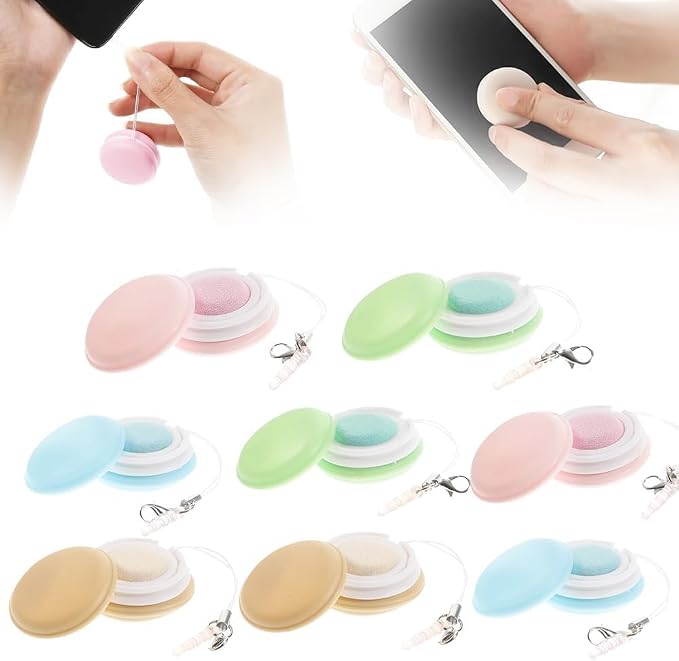
Paper towels and tissues are two of the worst things you can use on a phone screen — the fibers are abrasive enough to leave micro-scratches over time, especially on screens with an oleophobic (anti-fingerprint) coating. A dedicated screen wipe is designed to lift oil and grime without breaking down that coating. The Macaron Phone Screen Cleaner Wipes (8 Pcs) ($23.99) are individually wrapped, which makes them easy to toss in a bag, glovebox, or desk drawer for a quick wipe-down whenever you notice smudges building up — no bottle, no spray, no mess.
A quick rule of thumb: always wipe in one direction rather than circular scrubbing, and never press hard enough to feel resistance. If a smudge doesn't come off with light pressure, it needs a wetter wipe or spray, not more force.
2. For a Deeper Clean: A Proper Screen Cleaning Kit
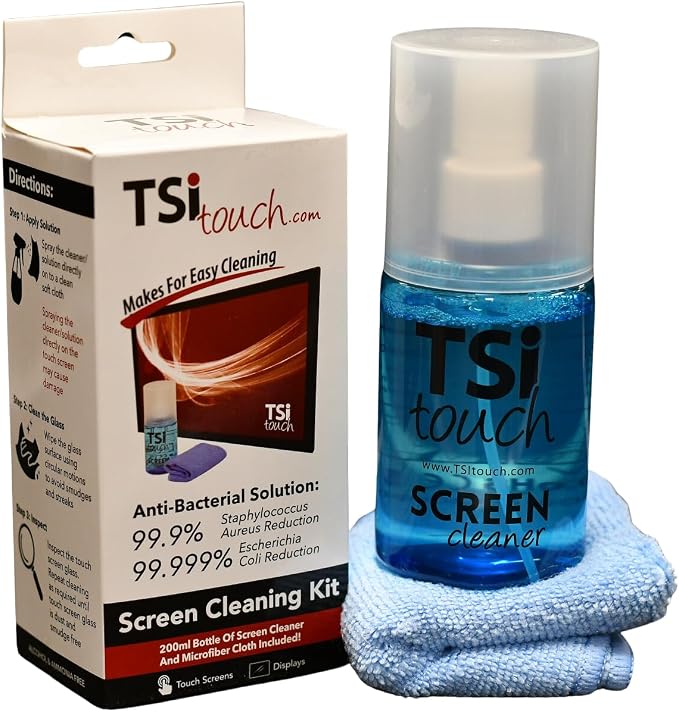
If your screen has built-up residue from case adhesive, screen protector glue, or just months of daily use, a single wipe often isn't enough. The TSI Touch Official Screen Cleaning Kit ($12.93) pairs a proper cleaning solution with a microfiber cloth designed specifically for touchscreens — strong enough to lift stubborn residue but formulated not to strip anti-glare or anti-fingerprint coatings the way household glass cleaners can. This is also the safer option before applying a new screen protector, since any leftover oil or dust under the protector will show up as a permanent bubble or smudge.
For a spray-and-wipe option that covers more than just your phone, the Screen Mom Screen Cleaner Spray & Microfiber Cloth (16oz) ($29.96) is worth keeping at a desk or entryway — it works just as well on laptop screens, tablets, and TVs, so one bottle covers your whole household's devices instead of buying something different for each one.
3. Electronic Wipes for Everyday Disinfecting
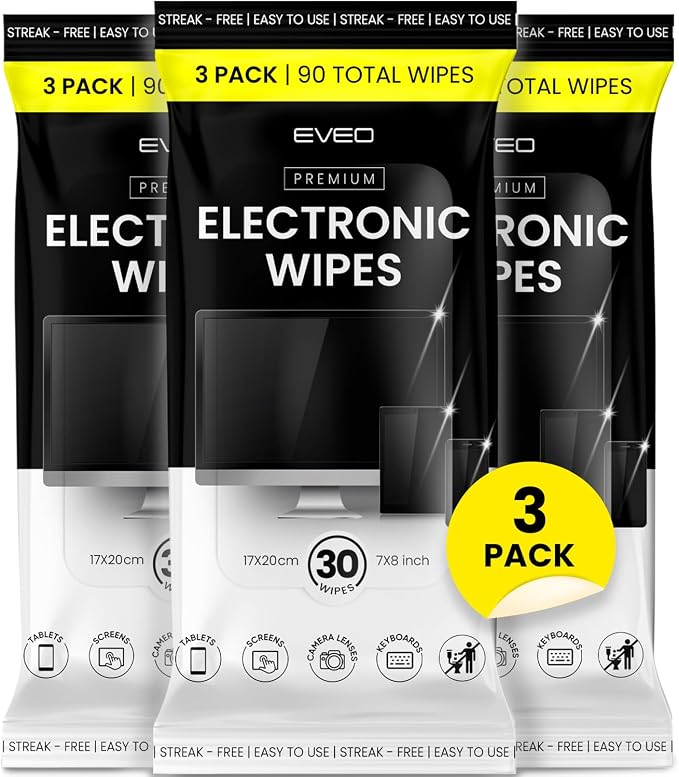
Cleaning and disinfecting aren't the same thing — a screen can look spotless and still be covered in bacteria. This matters more during back-to-school season, when phones are getting passed around classrooms, carpools, and shared study spaces more than usual. The EVEO Electronic Wipes Screen Cleaner (90 Wipes + Microfiber Cloth) ($12.74) are formulated specifically for electronics, so they won't leave the streaking or moisture damage that standard disinfecting wipes can cause on sensitive screens and ports. At 90 wipes per pack, it's realistically enough for months of daily use across a phone, tablet, laptop, and remote controls.
A good habit: keep a pack near your charging station, since that's usually the spot you touch your phone most often right before bed — and right after your hands have touched a dozen other surfaces during the day.
4. Don't Forget the Tight Spots: Ports, Speakers, and Camera Bumps

The charging port and speaker grilles are where most of the actual dust and lint accumulate — and they're also the hardest spots to reach with a wipe or cloth. This is where a cleaning gel earns its keep. The ASFSKY Reusable Cleaning Gel ($10.49) is a soft, reusable putty that presses into charging ports, speaker grilles, camera bump edges, and the gaps around a phone case, pulling out lint and dust that a cloth simply can't reach. It's the same kind of gel used for keyboards and car interiors, and it holds up to repeated use rather than being a one-time product.
A buildup of lint in a charging port isn't just a cosmetic issue — it can cause a phone to charge slowly, or in more severe cases prevent a cable from making a full connection at all. A thirty-second cleanout with a gel or a dry, soft-bristled brush every couple of weeks is enough to prevent that.
Your Phone Cleaning Checklist
- Wipe the screen daily with a dedicated screen wipe — never paper towels or your shirt
- Do a deeper clean weekly with a proper screen cleaning kit or spray, especially before applying a new screen protector
- Disinfect with electronics-safe wipes a few times a week, particularly if your phone gets shared or handled by others
- Clean out the charging port and speaker grilles with a reusable cleaning gel every couple of weeks
- Take your case off periodically to clean underneath it — grime builds up there just as fast as on the screen
- Avoid household glass cleaner, alcohol-heavy sprays, or anything abrasive on coated screens
Frequently Asked Questions
Is it safe to use screen wipes on a phone with a screen protector?
Yes — screen wipes and cleaning sprays formulated for electronics are safe on tempered glass and film protectors alike. Just avoid soaking the wipe or letting liquid pool around the edges of the protector.
How often should I actually clean my phone?
A quick wipe daily and a deeper clean (screen, case, and ports) once a week is a realistic routine for most people. If your phone gets shared with kids or used in shared spaces, disinfecting wipes a few times a week are worth adding.
Can cleaning gel damage my phone's ports?
No — a good cleaning gel is soft and non-abrasive, and it's designed to pull debris out rather than push it further in, which is actually safer than using a metal pin or toothpick.
What should I avoid using to clean my phone?
Skip paper towels, household glass cleaner, and anything with ammonia or bleach — these can strip screen coatings or damage water-resistant seals over time.
Keep Your Phone Looking (and Working) Like New
A clean phone isn't just about appearances — grime in your ports and on your screen affects performance, charging speed, and even touch sensitivity over time. Browse Phoneify's full Cleaning & Care collection for wipes, sprays, and cleaning gels that keep your device spotless without risking the coatings and components underneath.